
Global search, video resume & more
🔍 Global search
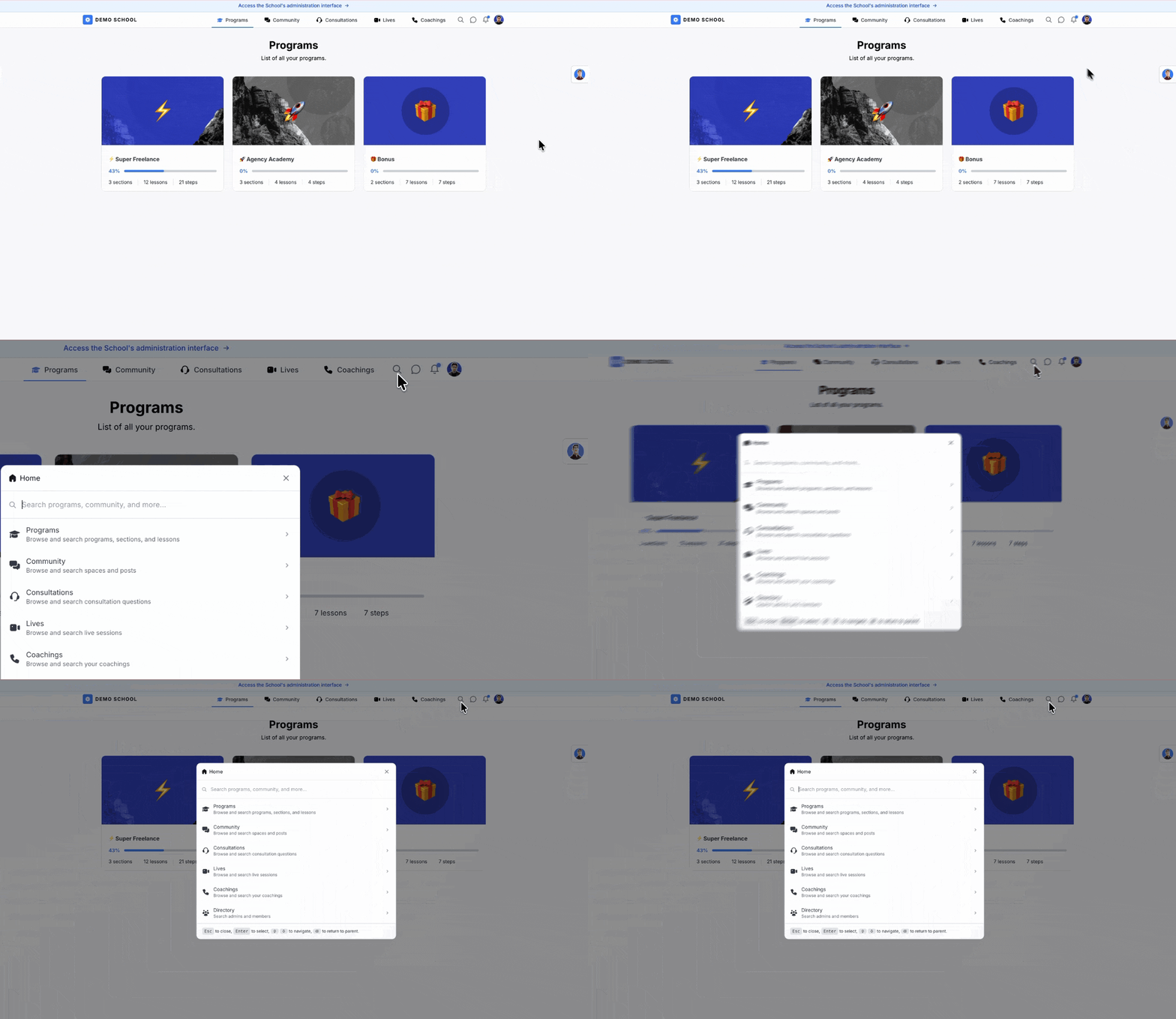
You can now search across your school from one place by using the “🔎” icon or with the Cmd/Ctrl + K shortcut.
Instead of hopping between programs, community, lives, and consultations, you type what you are looking for and jump there. Search also finds member email addresses, in both the member space and the admin space.
▶️ Videos pick up where you left off
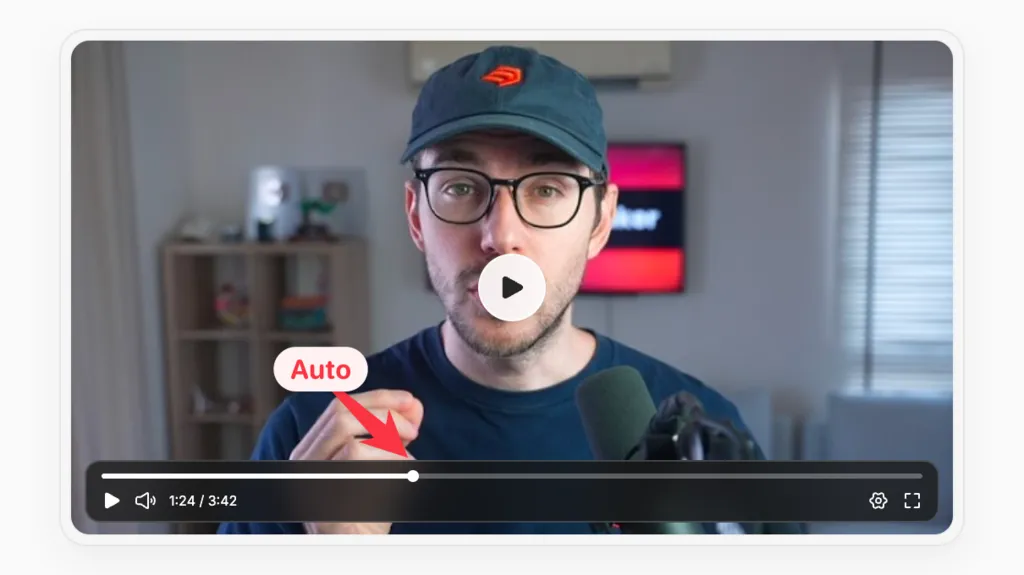
When a member comes back to a lesson, the video starts again at the moment they stopped.
This works with the built-in video player, YouTube, Vimeo, and Wistia. Playback settings such as volume are also remembered, so they do not have to set everything up again every time.
🔘 Buttons in the text editor
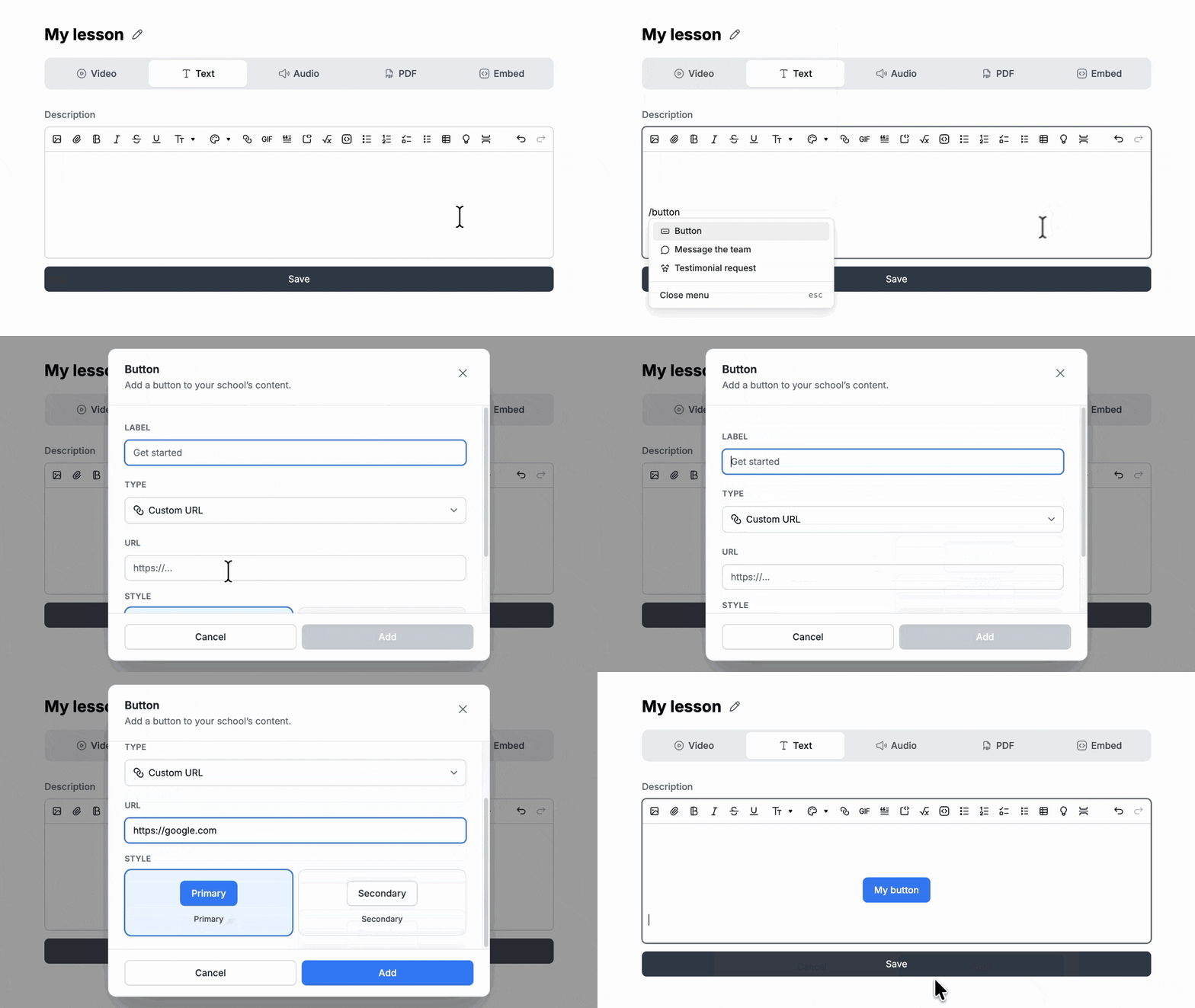
You can add a button in your lessons and other rich text.
A button can send someone to a custom URL, start a message, or invite them to leave a testimonial. Use it when you want one clear next step, instead of hiding the action in a paragraph of links.
Other minor updates
- ✨ Lives: Each live now has its own time zone. If your device time zone does not match your account, a notice lets you update it.
- ✨ Offers: You can add a member to an offer from their dashboard.
- ✨ Storage: Lite plans now include 100 GB. You can see your storage use in billing, and file sizes for videos and resources in the admin.
- ✨ Emails: When your school has a support email, replies from members now go there.
- 🐞 Bug solved: Some live replays appeared twice.
- ✨ Realtime: Live updates in the school feel snappier and more consistent (realtime DMs, Community interactions, and Notification updates)
- ✨ In-app Notifications: When a new notification or message arrives, the favicon shows a dot and the browser tab title changes for a few seconds.
- ✨ New notification: Admins and moderators now get a notification when a new consultation question comes in, so you do not have to keep checking the consultation inbox.
- ✨ Global Search: You can search member email addresses in the member space and the admin space to easily access their profile.
- ✨ Hosting: If you change your SchoolMaker subdomain, the old one now redirects to the new one.
- ✨ Programs creation UX: New sections start open, so you can see what you just created.
- ✨ Programs: Export column names are clearer.
- ✨ Promo codes: The admin view now shows the expiration hour, not only the date.
- ✨ Conversations: Conversations are easier to read on smaller screens and in the app.
- ✨ Community: A few community interface details are easier to use.
- ✨ Text editor: Embeds keep the height you set. Image and GIF issues in the editor are fixed.
- ✨ Text editor: You now can adjust text alignement settings & minimal font settings when creating lessons.
- ✨ AI Coach: Document analysis is more reliable, and newer OpenAI models are available.
- ✨ API / Make / Zapier: New webhook filters for steps.
- 🐞 Bug solved: Audio playback issues in some schools.
- 🐞 Bug solved: Uploaded files on a step were sometimes invisible.
- 🐞 Bug solved: Steps reviewed by a coach did not always follow the right process after a second answer.
- 🐞 Bug solved: Unpublished coaching appointments still appeared on the member dashboard.
- 🐞 Bug solved: You could not contact members who had never logged in, and the error toast was unclear.


